Introduction
We've received a lot of great technical questions from our community about how Plum Box actually works under the hood. In this post, we'll break down the architecture — how remote access is established, what happens to your data if Plum disappears, and exactly how your files are stored on the SSD.
1. Remote Access Architecture
Plum Box connects to your local network and provides access to your files from anywhere in the world. Here's how the connection is established:
Connection Flow
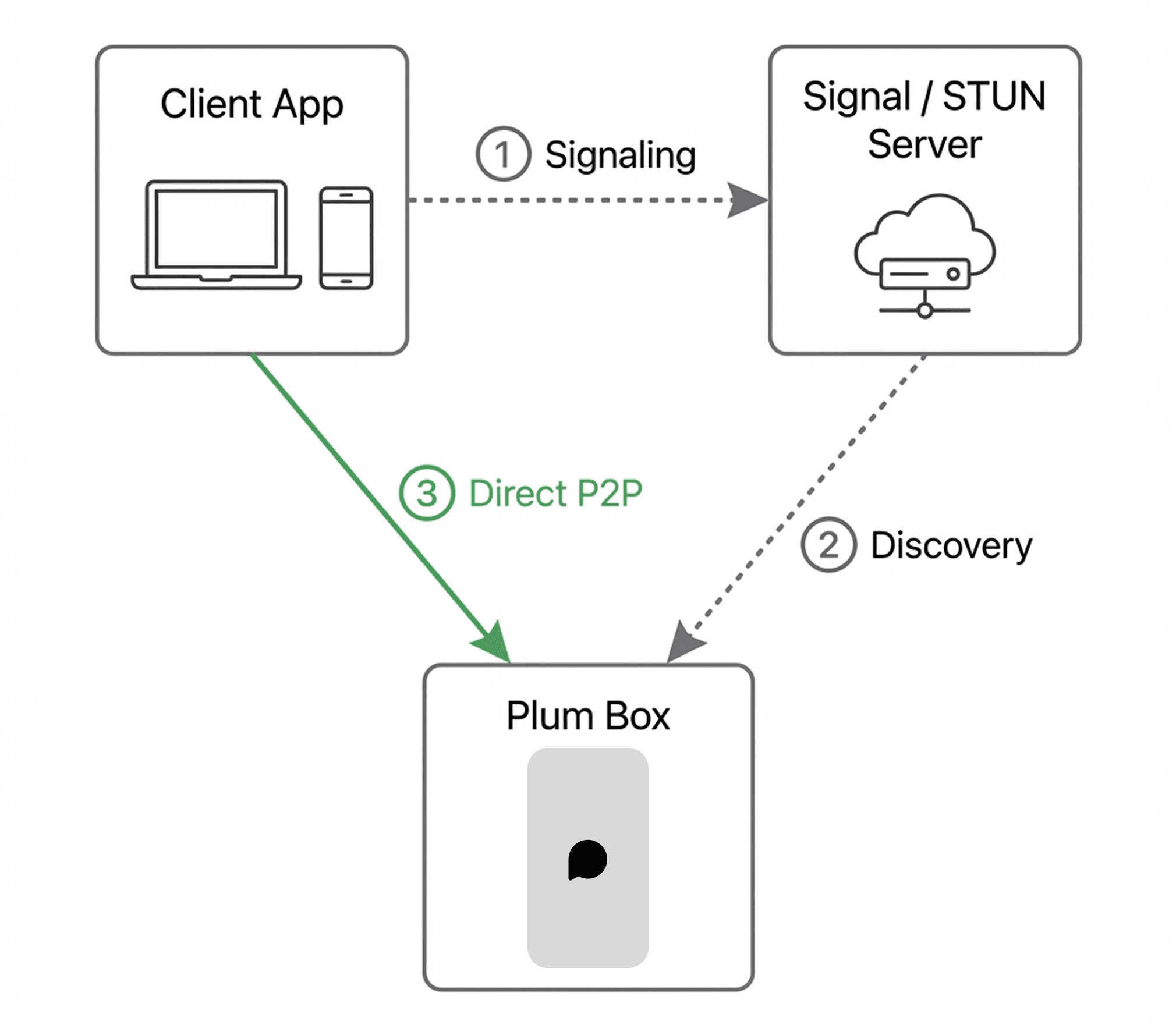
When you open the Plum app outside your home network, the connection happens in three phases, matching the diagram below:
Phase 1: Signaling (Arrow ①)
Client initiates connection request via Signal Server
Peers discover each other and exchange connection metadata
Phase 2: Discovery (Arrow ②)
ICE determines the optimal connection path
STUN server discovers public IPs and NAT types for both devices
Phase 3: Connection (Arrow ③)
Direct P2P connection attempts via UDP hole punching
Success: WireGuard tunnel is established (Green Line) for encrypted data transfer
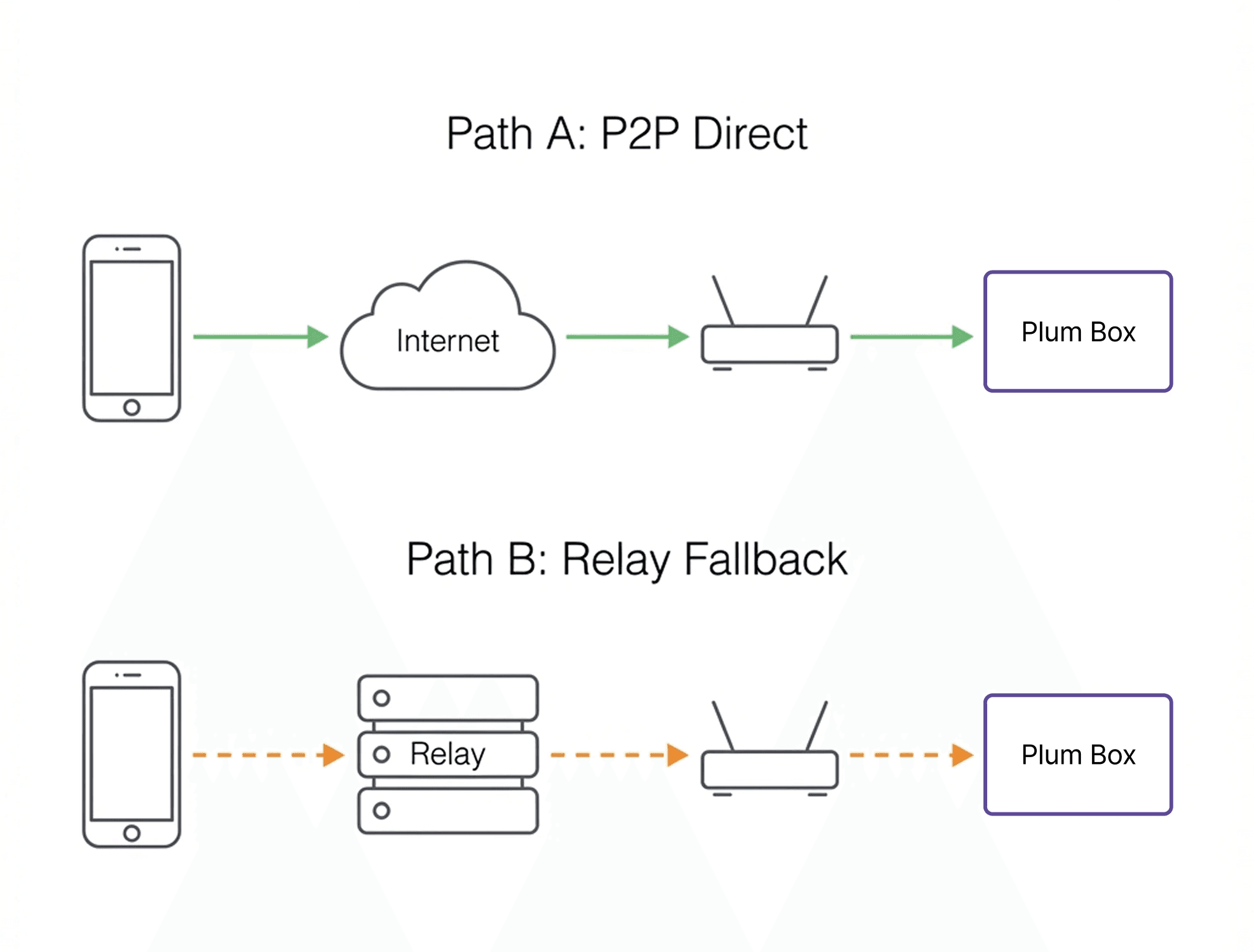
Fallback: If P2P fails, the connection routes through the TURN Relay automatically
Default Mode: Plum Relay
For most users, Plum Relay handles connectivity automatically with zero configuration.
How it works
Component | Function |
|---|---|
Signal Server | Facilitates peer discovery and exchanges connection metadata. No user data passes through. |
STUN Server | Discovers your public IP address and NAT type for P2P negotiation. |
TURN Relay | Fallback relay when direct P2P connection is not possible (e.g., symmetric NAT, carrier-grade NAT). |
Key points
P2P First: The system always attempts a direct peer-to-peer connection. Relay is only used as fallback.
End-to-End Encryption: All traffic is encrypted via WireGuard tunnel. Even when relayed, Plum servers cannot decrypt your data.
No Port Forwarding Required: Works behind any NAT or firewall.
Protocol Stack
Layer | Technology | Role |
|---|---|---|
Application | Plum App | User Interface, File Management |
Encryption | WireGuard | End-to-End Encryption (ChaCha20-Poly1305) |
Traversal | ICE / STUN / TURN | NAT Traversal, Peer Discovery |
Transport | UDP / TCP | Data Transmission (UDP preferred) |
Network | IP | Addressing |
Advanced Mode: Port Forwarding + DDNS
For users who want complete independence from Plum's infrastructure:
Requirements
Static IP or Dynamic DNS (DDNS) service
Router with port forwarding capability
Plum Box local IP address
Configuration
Router Port Forwarding
External Port: 443 (or custom)
Internal IP: [Plum Box Local IP]
Internal Port: 443
Protocol: TCP/UDP
Advantages
Zero dependency on Plum servers
Direct connection with lowest latency
Full operational independence
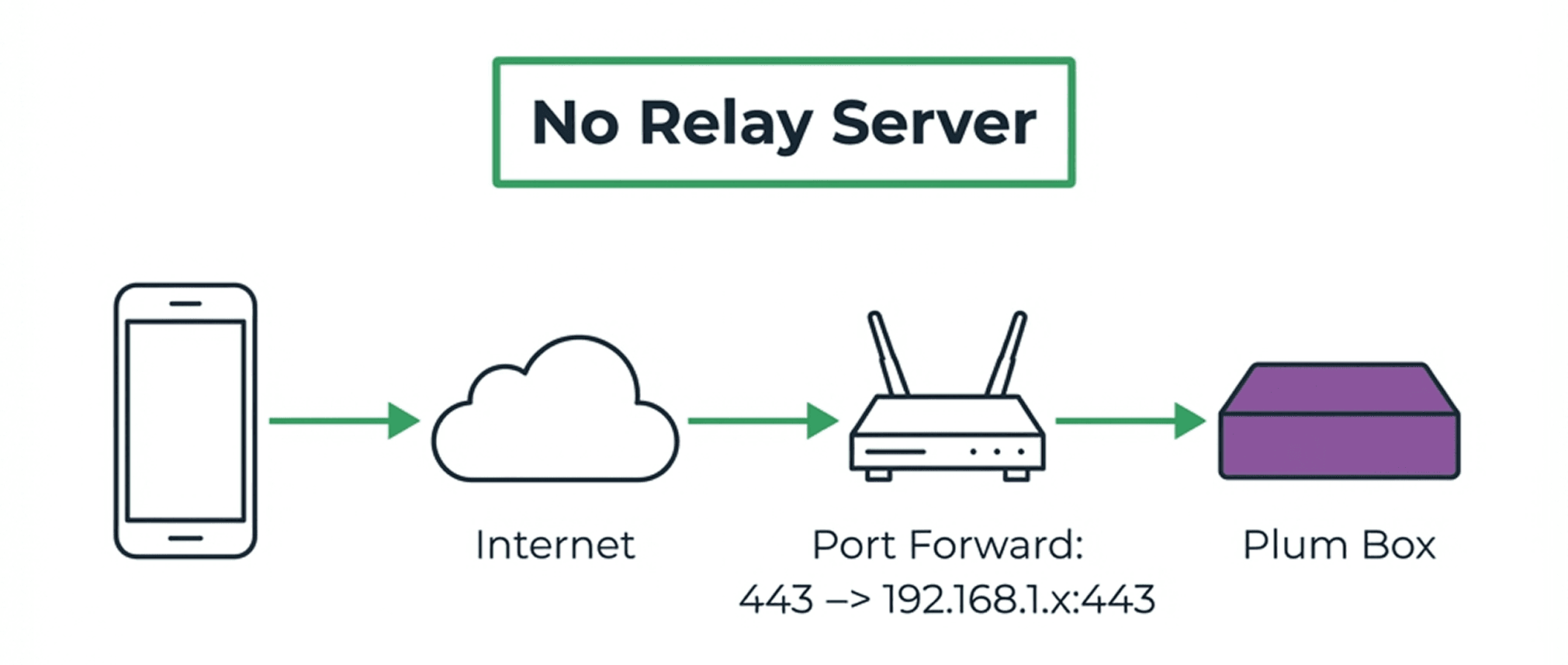
A detailed port forwarding setup tutorial will be published before shipping starts in 2026.
2. What Happens If Plum Shuts Down?
This is one of the most common concerns we hear. Here's the technical breakdown:
Architecture: Local-First Design
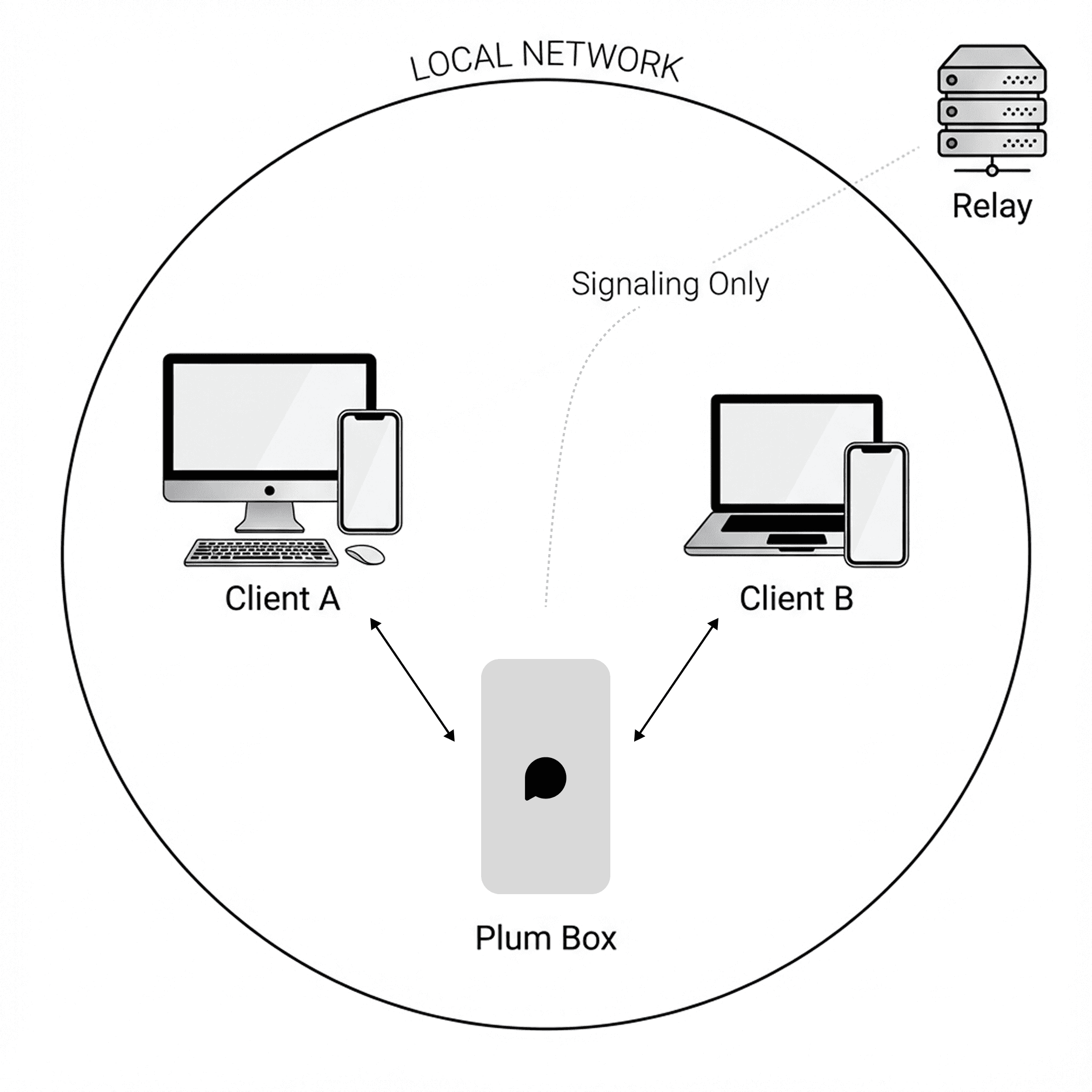
Plum Box is architected with local-first principles. Your data never leaves your device unless you explicitly access it remotely.
Failure Scenarios
Scenario | Local Access | Remote Access | Data Integrity |
|---|---|---|---|
Plum servers online | ✓ | ✓ (Relay or P2P) | ✓ |
Plum servers offline | ✓ | ✓ (Port Forward) | ✓ |
Internet outage | ✓ | ✗ | ✓ |
Plum Box hardware failure | ✗ | ✗ | SSD removable |
Key takeaway: Your data exists only on your SSD. Plum servers handle connection routing, not data storage.
Plum Server Dependencies
Function | Requires Plum Server | Alternative |
|---|---|---|
Local network backup | No | — |
Local file access | No | — |
Remote access (default) | Yes (Relay) | Port Forwarding |
3. SSD Data Storage
File System: exFAT
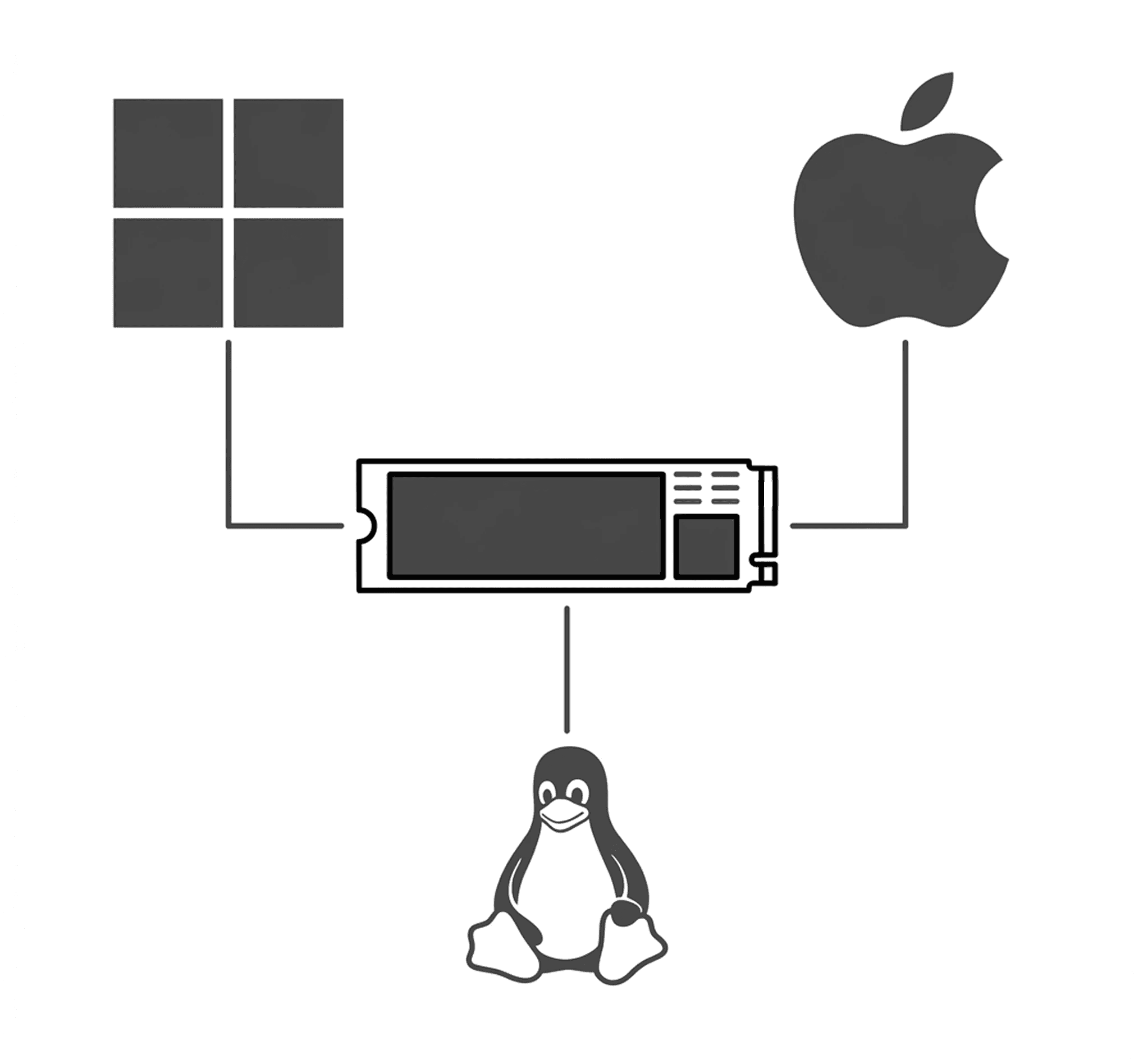
Plum Box formats your SSD with exFAT for maximum cross-platform compatibility.
Feature | exFAT | ext4 | NTFS |
|---|---|---|---|
Windows native support | ✓ | ✗ | ✓ |
macOS native support | ✓ | ✗ | Read-only |
Linux native support | ✓ | ✓ | ✓ (ntfs-3g) |
Max file size | 16 EB | 16 TB | 16 TB |
Journaling | ✗ | ✓ | ✓ |
Why exFAT:
Native read/write on Windows, macOS, and Linux without additional drivers
No file size limitations for large video files
If you remove the SSD, you can access files on any computer immediately
Directory Structure
When you connect your SSD to any computer, you'll see:
Structure details:
Directory | Content | Organization |
|---|---|---|
/Photos | Photo & video backups | Year/Month hierarchy |
/Files | User-uploaded files | User-defined folders |
/Downloads | Downloaded content | Flat or user-defined |
The directory structure in the Plum app mirrors exactly what's on the SSD. What you see in the app is what you get on disk.
Encryption (Optional)
Plum Box offers optional full-disk encryption for users who require additional security.
Encryption | SSD Access via PC | Notes |
|---|---|---|
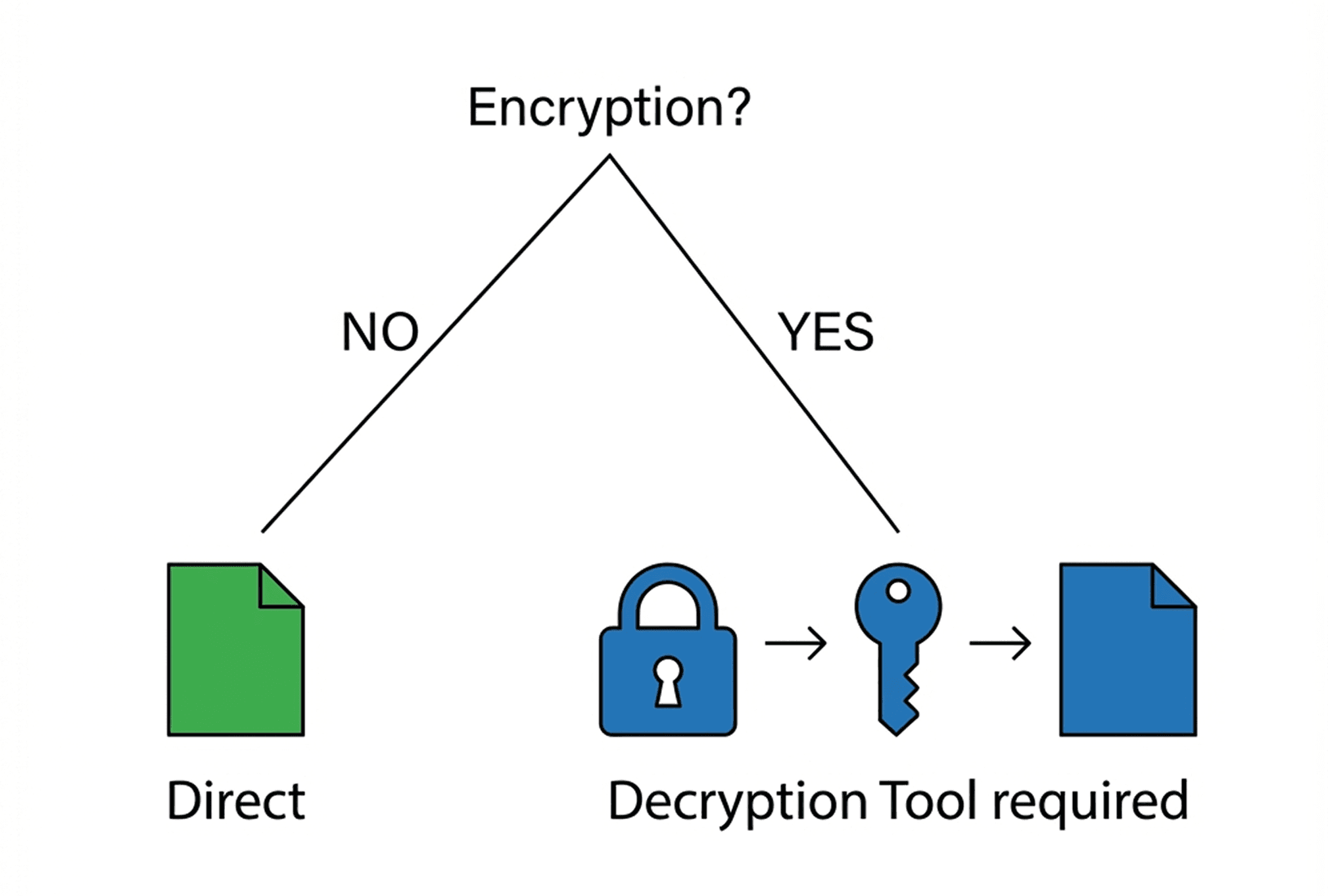
OFF | Direct access — files visible immediately | Maximum convenience |
ON | Requires Plum Decryption Tool | Maximum security |
When encryption is enabled:
Plum Decryption Tool:
Standalone application (Windows, macOS, Linux)
Works independently of Plum Box or Plum servers
Will be available for download and archived permanently
4. Storage Expansion
Single-Bay Architecture
Plum Box features one M.2 NVMe SSD slot (M-key). This design prioritizes:
Compact form factor
Lower cost
Simplicity
Supported SSDs:
Interface: M.2 NVMe (M-key)
Form factors: 2280, 2260, 2242
Capacity: Up to 8TB (tested)
When Storage Fills Up
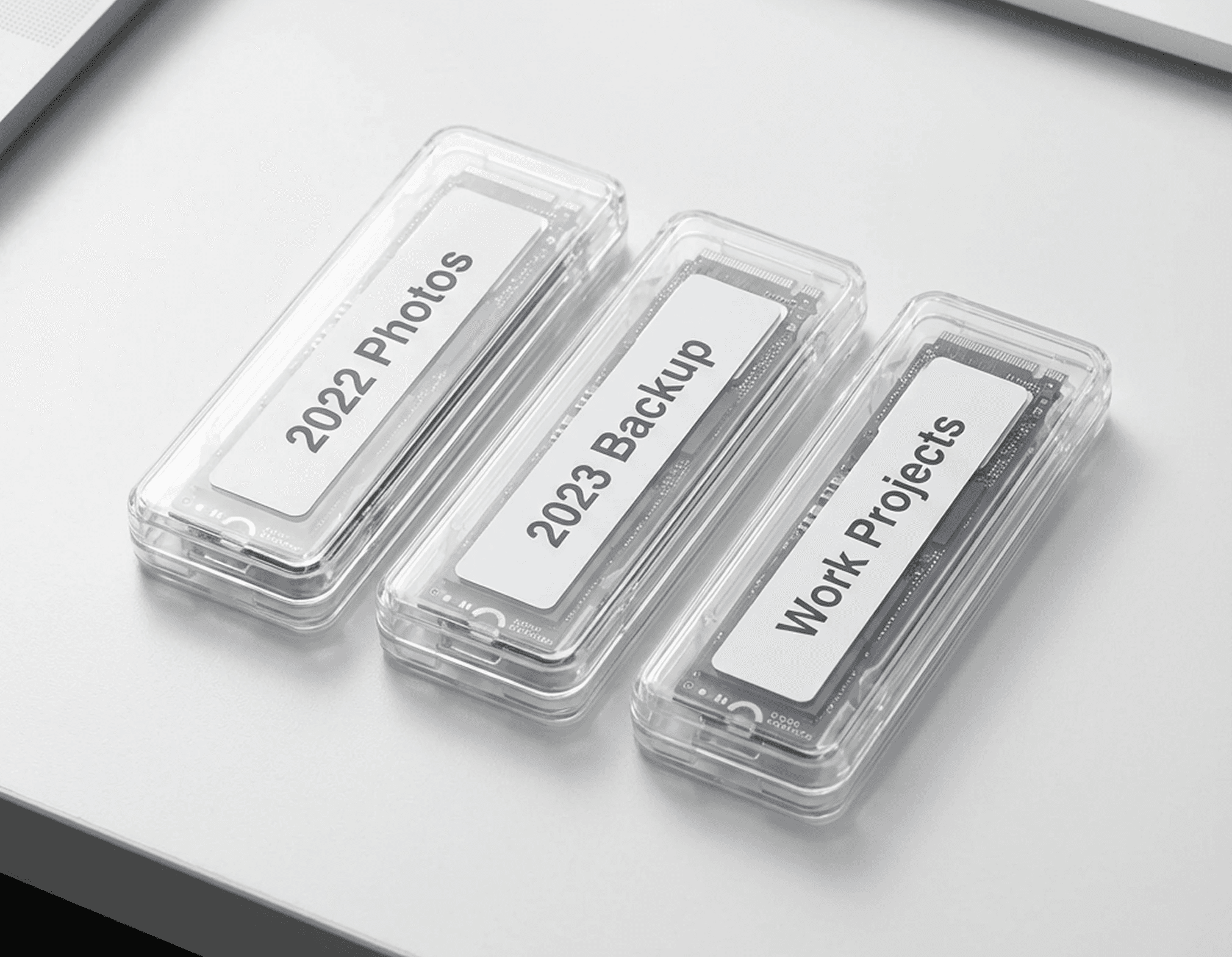
Option A: Swap SSD in Plum Box
Option B: Access via External Enclosure
Accessing Old SSDs
Method | Requirements | Use Case |
|---|---|---|
Re-insert into Plum Box | None | Quick access, browsing via app |
M.2 USB Enclosure | ~$10-15 enclosure | Access via any PC |
Direct PC connection | M.2 slot on motherboard | Fastest transfer |
Note: If encryption is enabled, you'll need the Plum Decryption Tool regardless of access method.
Summary
Component | Implementation |
|---|---|
Remote Access | P2P first (WireGuard + ICE/STUN), Relay fallback (TURN) |
Encryption (Transit) | WireGuard (ChaCha20-Poly1305, Curve25519) |
Encryption (Storage) | Optional, with standalone decryption tool |
File System | exFAT (cross-platform native support) |
Directory Structure | /Photos, /Files, /Downloads — mirrors app UI |
Server Dependency | Local access: None / Remote: Relay or Port Forward |
Storage Expansion | Swap SSD, access old drives via enclosure or re-insert |
Design Philosophy
Plum Box is built on three principles:
Your data stays yours — 100% local storage, no cloud dependency
No lock-in — Standard file system, removable SSD, open protocols
Graceful degradation — If Plum disappears, your data and access remain